

Download KLS Mail Backup – Secure Email Backup Tool for Windows
Overview
KLS Mail Backup is a lightweight Windows utility designed to create reliable copies of your e‑mail data without the hassle of proprietary formats. Unlike Microsoft Outlook’s native .pst files, KLS compresses every backup into a standard ZIP archive that can be opened on any computer, making restoration fast and straightforward. The program captures messages, address books, folder structures, mail rules, and even ancillary items such as browser history, favorites, and cookies.
While it shines with Outlook Express, Mozilla Thunderbird, SeaMonkey, and Windows Mail, it does not currently support Microsoft Outlook. An added perk is the ability to back up Windows Live Mail contacts, Messenger files, and configuration settings, giving you a broader safety net for personal and small‑business users. Whether you are a casual user who wants a “set‑and‑forget” solution or a power user seeking granular control over backup locations and schedules, KLS Mail Backup delivers a free, secure, and easy‑to‑use experience.
Key Features
- Full e‑mail archive in ZIP format – no proprietary containers.
- Supports Outlook Express, Thunderbird, SeaMonkey, and Windows Mail.
- Backs up e‑mail addresses, folders, rules, and filter configurations.
- Optional backup of browser history, favorites, and cookies.
- Exports Windows Live Mail contacts and Messenger configuration files.
- One‑click “Create Backup” button with progress indicator.
- Scheduled backups via Windows Task Scheduler integration.
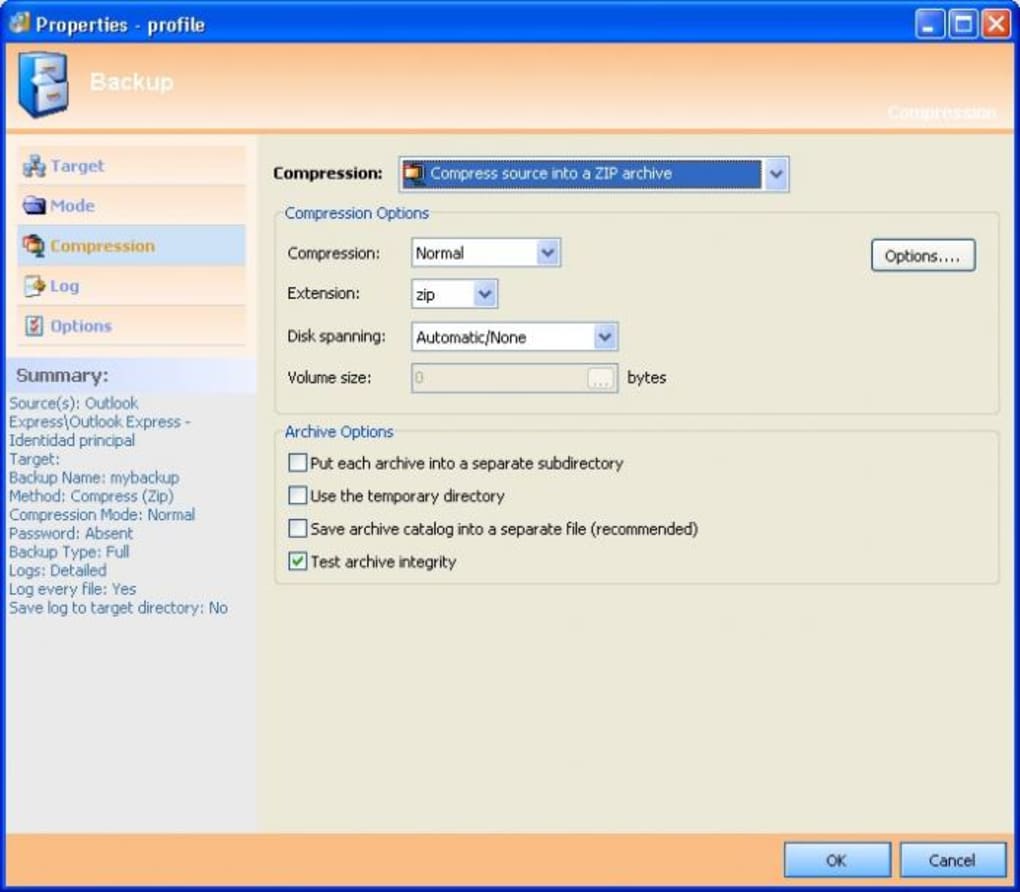
- Automatic integrity check after each backup operation.
- Multi‑language interface (English, German, French, Spanish).
- Free for personal use with optional premium support add‑on.
The feature set is intentionally focused on reliability and simplicity. By avoiding complex encryption layers, KLS ensures that your backups can be opened on any machine with a standard unzip utility. The inclusion of browser data may seem unconventional for a mail backup tool, but it provides a holistic snapshot of your online activity—useful for forensic purposes or quick migration to a new PC. The scheduled backup capability eliminates the need for manual intervention, letting you set a daily or weekly routine that runs silently in the background. Finally, the integrity check guarantees that corrupted archives are flagged immediately, preventing the false sense of security that can arise from a silent failure.
Installation & Daily Use
Step‑by‑Step Installation
- Download the latest KLS Mail Backup installer from the official website.
- Run the
.exefile; Windows SmartScreen will prompt you to confirm the publisher—click “Run”. - Follow the on‑screen wizard: accept the EULA, choose an installation folder (default is
C:\Program Files\KLS Mail Backup), and click “Install”. - When the installation finishes, launch the program from the Start menu or desktop shortcut.
Creating Your First Backup
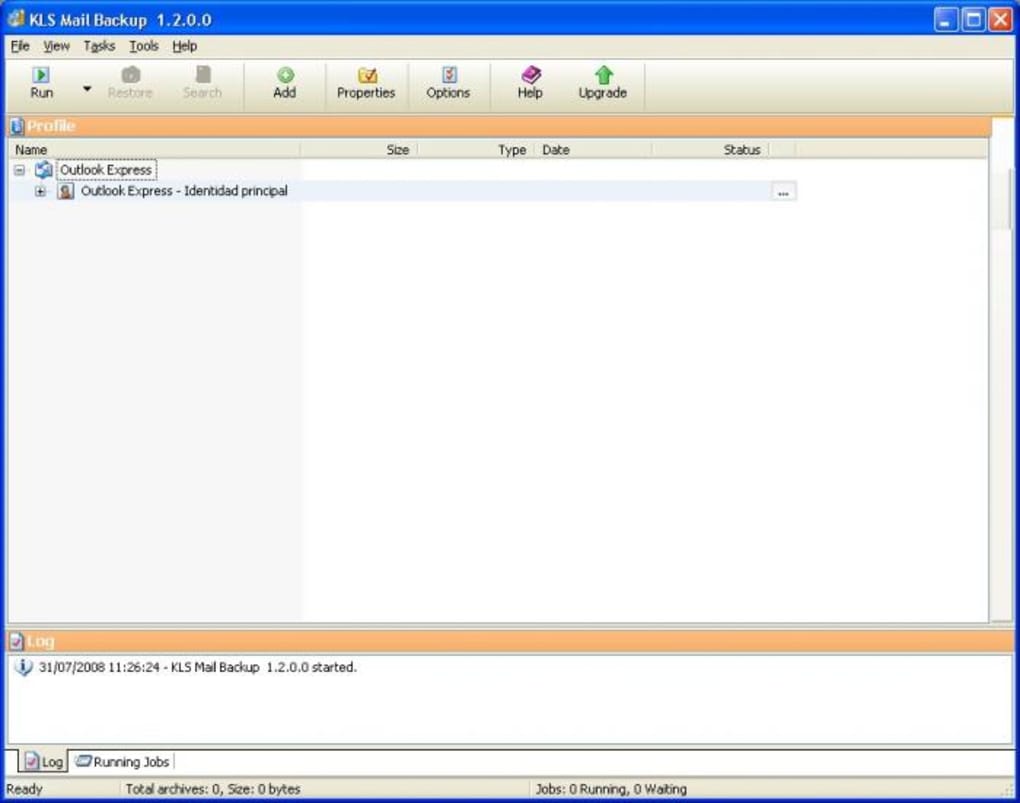
Upon first launch, KLS Mail Backup presents a clean dashboard with three main tabs: Source, Destination, and Schedule. In the Source tab, select the e‑mail client you wish to back up (e.g., Thunderbird). The program automatically detects the profile folder; you can also browse manually if needed.
Next, move to the Destination tab and choose a folder for the ZIP archive—common choices include an external drive or a cloud‑synced folder such as OneDrive. Finally, if you want automated backups, switch to the Schedule tab, enable “Run daily at”, and pick a convenient time. Click “Create Backup” and watch the progress bar.
The resulting file is named with a timestamp (e.g., Backup_2025-10-26.zip) for easy versioning.
Restoring a backup is equally simple: click the “Restore” button, point to the desired ZIP file, and select the target e‑mail client. KLS extracts the archive and places the messages and settings back into the appropriate profile directory. Because the format is standard ZIP, you can also manually extract the contents using Windows Explorer if you only need specific messages or contacts.
Compatibility & System Requirements
Supported operating systems: Windows 7, Windows 8, Windows 10, and Windows 11 (both 32‑bit and 64‑bit). The application does not run on macOS, Linux, Android, or iOS, but the ZIP backups it creates can be opened on any platform with standard unzip tools.
In terms of e‑mail client compatibility, KLS Mail Backup works natively with the following Windows‑based programs:
- Outlook Express (including Windows Mail)
- Mozilla Thunderbird
- SeaMonkey
- Windows Live Mail (contacts only)
- Microsoft Messenger (configuration files)
The lack of direct Outlook support is a known limitation; users who rely on Outlook are encouraged to use Outlook’s built‑in export features or consider a third‑party PST converter. System‑wise, KLS requires at least 512 MB of RAM and 20 MB of free disk space for the application itself; the size of the backup depends on the volume of e‑mail and selected ancillary data. No additional runtimes (such as .NET) are needed, making the installer exceptionally lightweight.
Because the software writes to the file system, it should be run with standard user privileges; however, if you plan to back up to a protected location (e.g., a system drive), you may need to launch KLS Mail Backup as an administrator.
Pros and Cons
Pros
- Backups are saved in universal ZIP format – easy to open on any device.
- Free for personal use with a straightforward, ad‑free interface.
- Supports multiple e‑mail clients beyond Outlook Express.
- Includes optional backup of browser history, favorites, and cookies.
- Scheduled backups can be automated via Windows Task Scheduler.
Cons
- No native support for Microsoft Outlook (PST files).
- Limited to Windows – no macOS, Linux, or mobile versions.
- Advanced compression settings are not available (uses default ZIP level).
- Only backs up Windows Live Mail contacts, not the mail messages themselves.
- Premium support requires a separate purchase.
Frequently Asked Questions
Can I back up Outlook PST files with KLS Mail Backup?
No. KLS Mail Backup does not read or export Microsoft Outlook PST files. Users needing Outlook backups should use Outlook’s built‑in export tool or a dedicated PST backup utility.
Is the backup process secure?
The program creates standard ZIP archives without encryption. If you require encrypted backups, you can compress the ZIP file again with a tool like 7‑Zip and apply a password.
Can I restore only selected e‑mail messages?
Yes. Since the backup is a regular ZIP file, you can open it with any archive manager, navigate to the desired folder, and extract individual messages or sub‑folders.
Does KLS Mail Backup work with the latest Windows 11 updates?
The software is fully compatible with Windows 7 through Windows 11 (both 32‑bit and 64‑bit). No additional patches are required.
Is there a way to automate daily backups?
Yes. Within the “Schedule” tab you can enable daily or weekly backups, or you can create a Windows Task Scheduler job that runs the KLS executable with the appropriate command‑line switches.
Conclusion & Call to Action
KLS Mail Backup offers a pragmatic solution for anyone who wants a free, no‑frills way to safeguard their e‑mail data on Windows. Its reliance on the universally accepted ZIP format eliminates the “can’t open this file” problem that plagues many proprietary backup tools. While the absence of Outlook support may deter power users, the program more than compensates by covering the most popular alternative clients and by adding the ability to archive browser data and Messenger settings. If you value a lightweight, secure backup routine that can be scheduled and restored with a few clicks, KLS Mail Backup is worth a download today.
Ready to protect your inbox? Download KLS Mail Backup now and start creating ZIP‑based backups in seconds.
KLS Mail Backup provides a clean, effective way to archive e‑mail without the hassle of proprietary formats. Its ZIP‑based approach makes restoration a breeze, though the lack of Outlook support remains a drawback for larger enterprises.







